Documents
Add an HDMI Local Signal
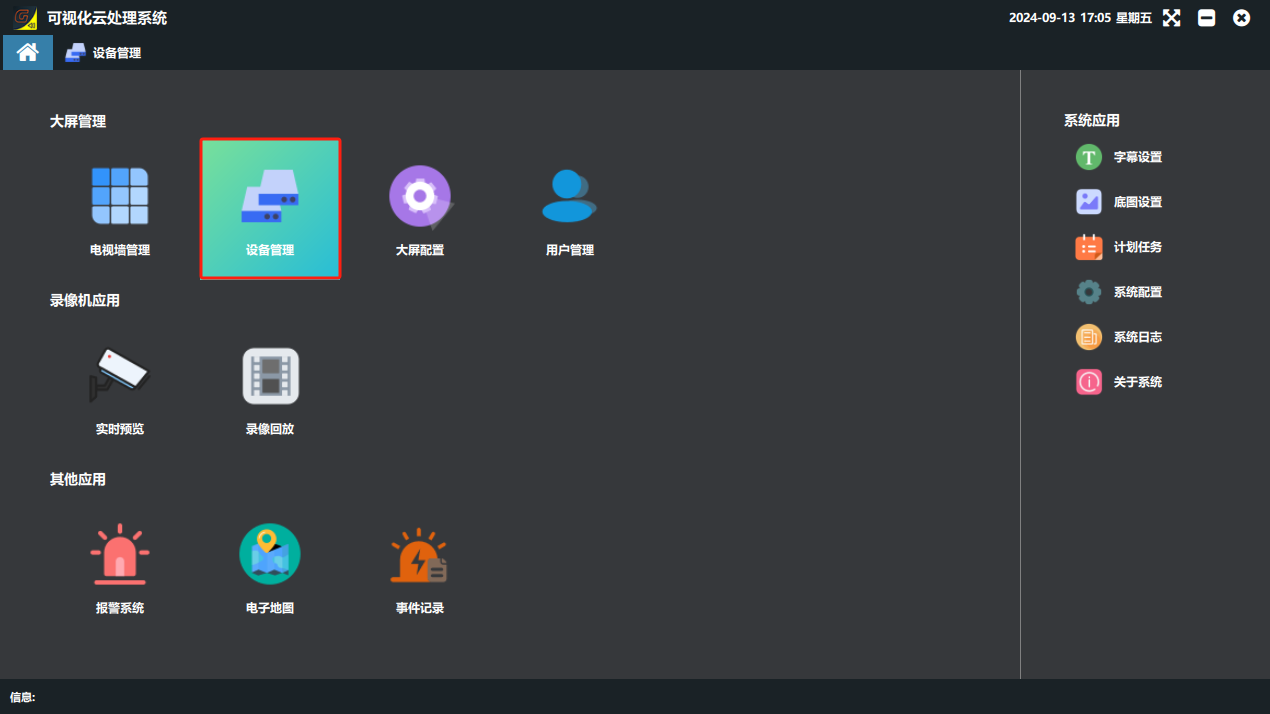
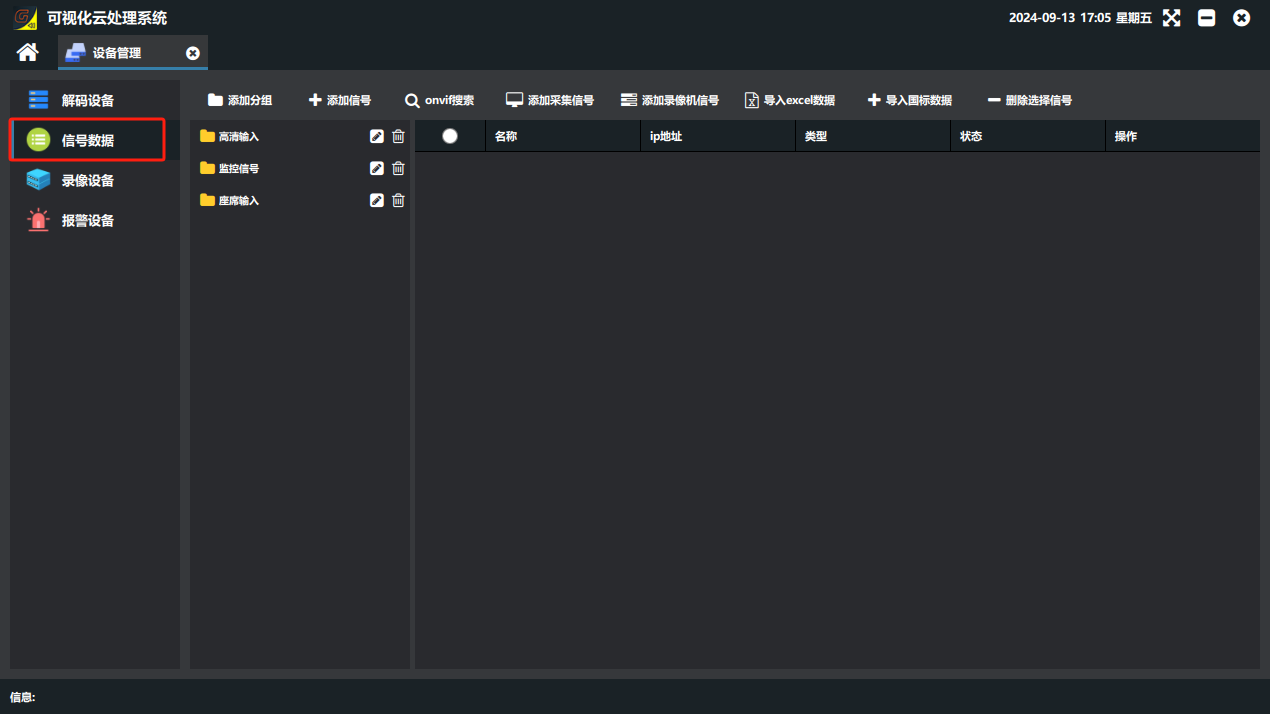
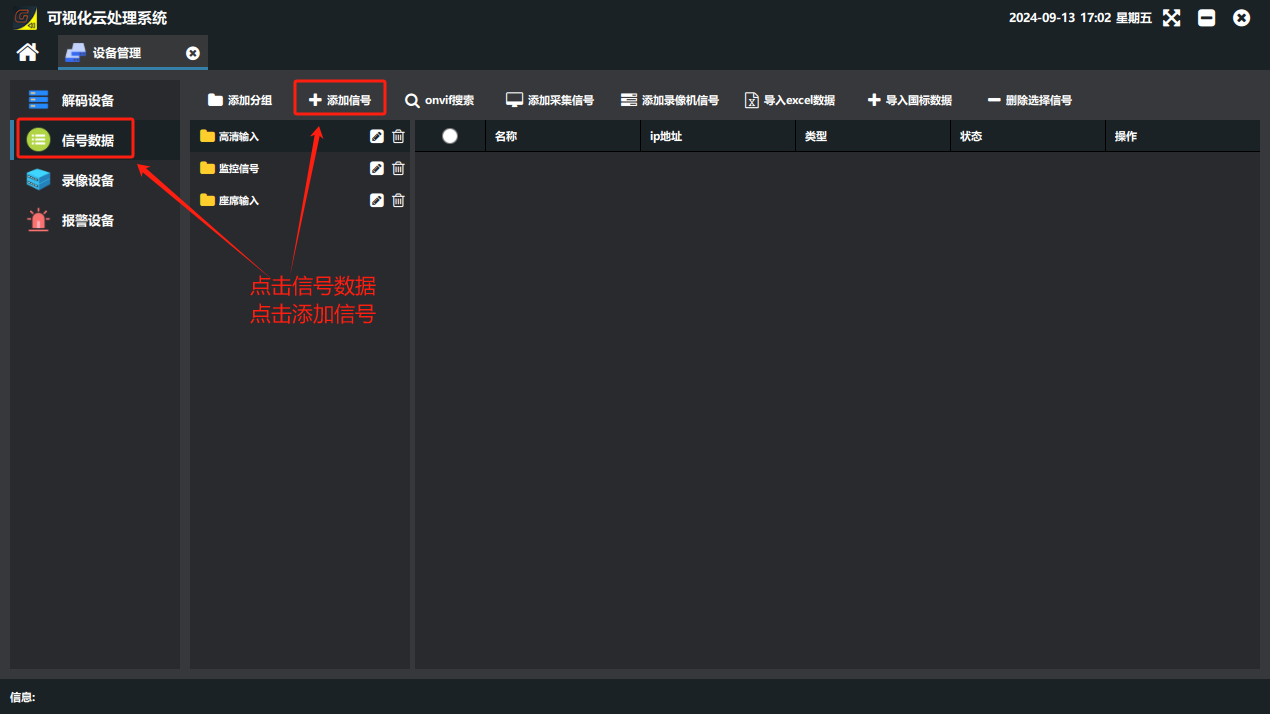
Signal addition always starts from “Device Management → Signal Data” on the software home page.
1. Quickly add an HDMI input card
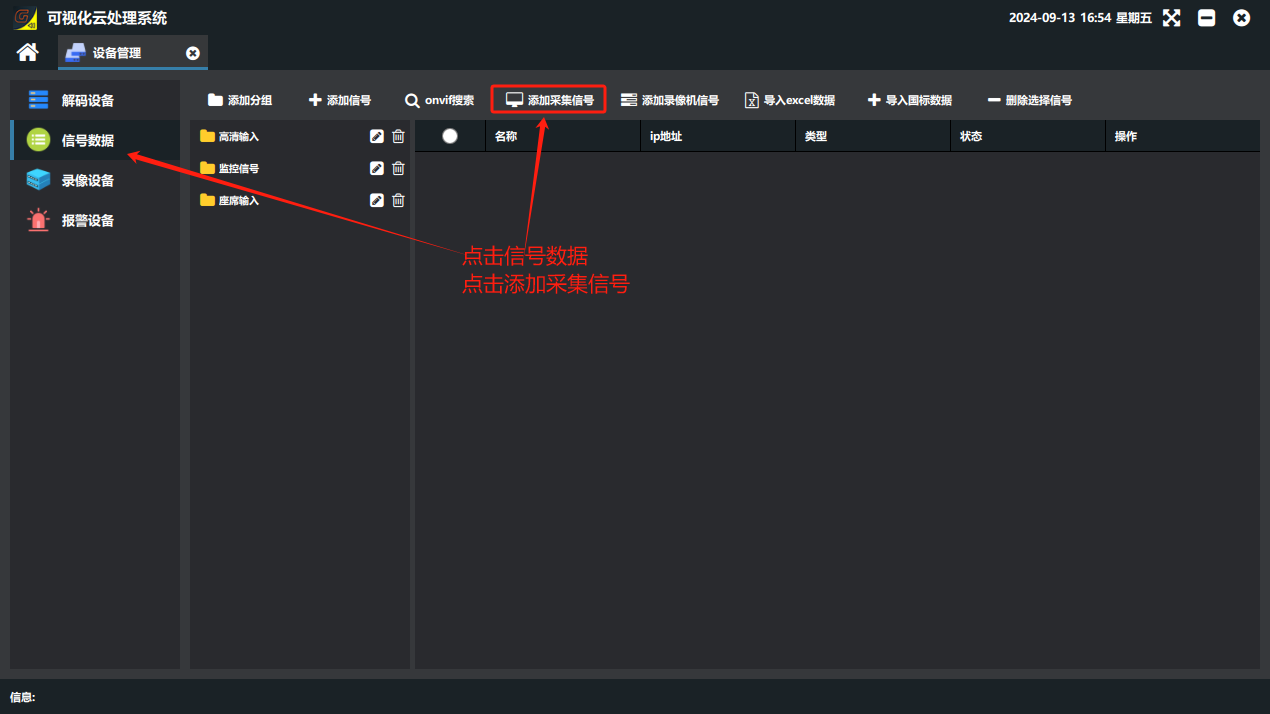
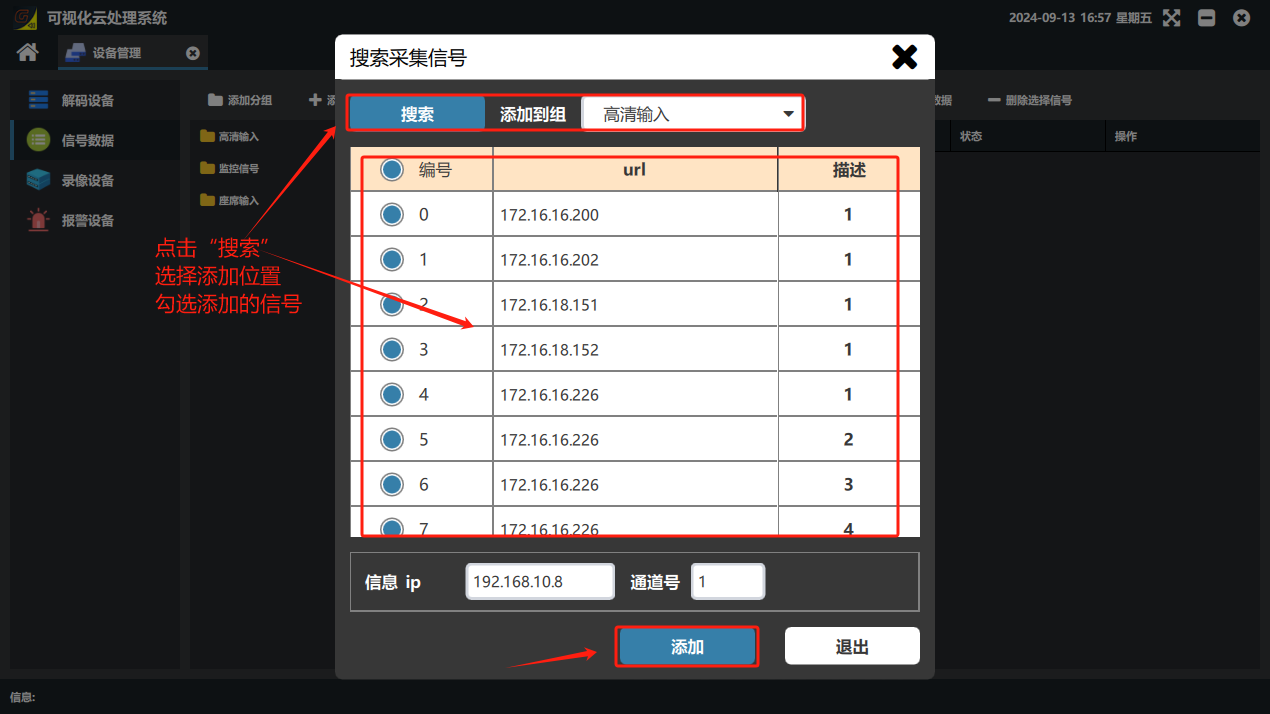
① Switch to Signal Data and click “Add Capture Signal” → ② in the “Search Capture Signals” window that opens, click “Search” → ③ select the group to add to → ④ select the searched signals to add → ⑤ click Add
2. Manually add an HDMI input card
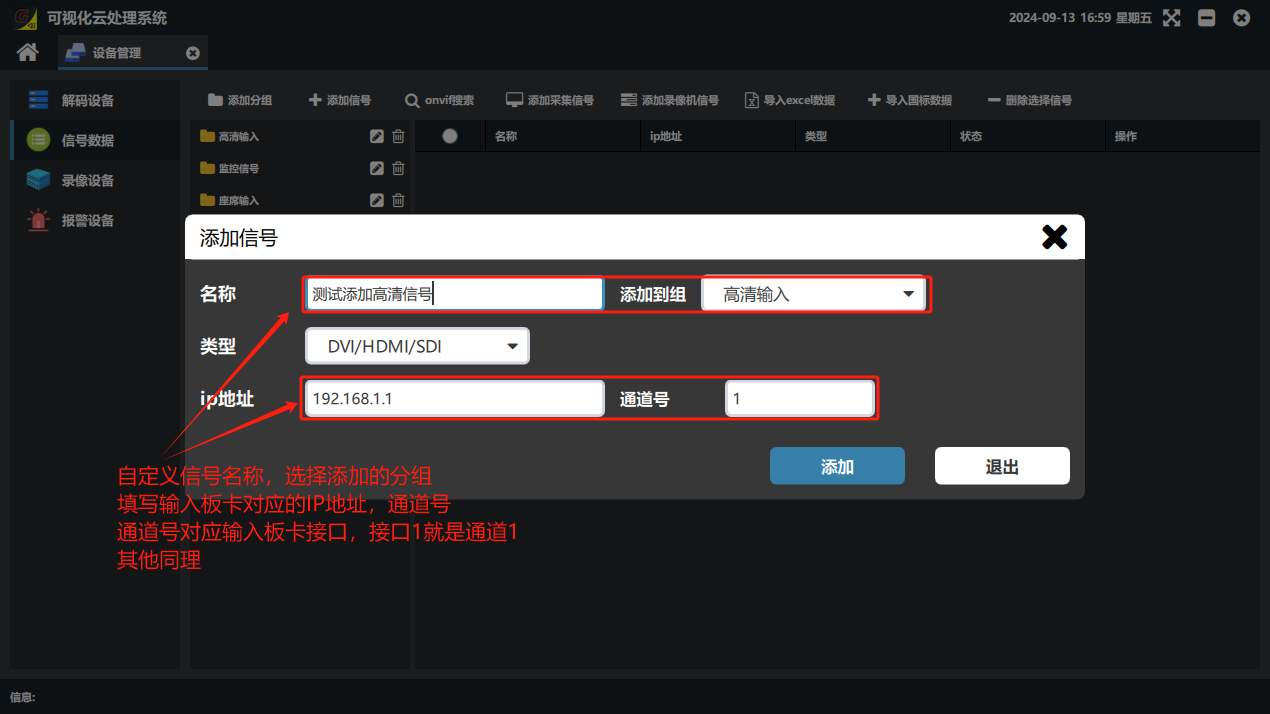
① Click “Add Signal” → ② enter a name → ③ select the group → ④ set Type to “DVI/HDMI/SDI” → ⑤ enter the input board IP in IP address → ⑥ enter the input port number of that board in Channel No. (for example, on a 4-input card, if the cable is in the first input port, enter “1”) → ⑦ click Add
Did this page help you?One line of feedback helps us keep the steps accurate.